
Fix Your Tech Issues at Home, instantly

Simple, step-by-step guides to troubleshoot your smartphone, optimize Windows, fix WiFi drops, and set up your smart home devices without paying a technician.

Your Daily Tech Fix

What We Cover

Windows Optimization

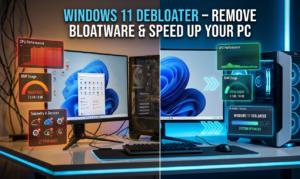
Easy steps to speed up slow laptops, manage startup apps, clean junk files, and keep your OS running smoothly.

WiFi & Connectivity

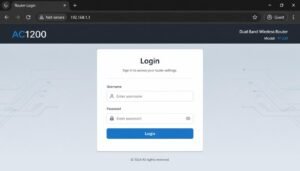
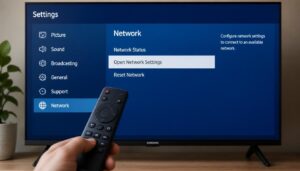
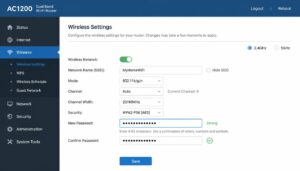
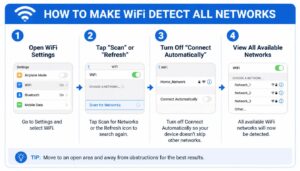
Step-by-step fixes for frequent internet drops, slow WiFi speeds, and dead zones in your house.

Technical Troubleshooting

Quick DIY solutions for common mobile bugs, frozen screens, and daily device performance glitches.

Smart Home Setup

Simple configuration guides for smart speakers, home automation devices, and security settings.

Quick Tech Tip of the Day

Fix it fast

Clear Browser Cache: Monthly cleaning of your browser data prevents sluggish loading speeds on heavy websites.
Manage Startup Apps: Disable unnecessary programs from launching automatically when your Windows PC or laptop boots up.
Check for Software Updates: Keeping your operating system and network drivers updated patches security gaps and improves daily stability.
Optimize Router Placement: Place your WiFi router in a central, open location away from thick walls to instantly boost signal strength.

Need Help?

Frequently Asked Questions

At SmartTechFixer, we believe that technical glitches shouldn't slow you down. Our goal is to provide clear, reliable, and easy-to-follow solutions to your everyday device challenges. Whether you are troubleshooting connectivity issues or optimizing your system performance, our curated guides are designed to help you resolve problems quickly and efficiently. If you don't find what you are looking for below, our team is always here to ensure your technology stays running smoothly.

How often should I optimize my Windows?

A: Ideally, a basic system cleanup should be performed once a month to ensure smooth performance.

A: We only suggest trusted and recommended tools, so the links provided on our website are safe to use.

A: First, try restarting your router, then check the troubleshooting steps provided in our "WiFi & Connectivity" section.

A: Yes, we provide step-by-step guides for common setup issues regarding smart speakers and light automation.

A: All troubleshooting guides and tech tips available on our website are completely free for users.